| --- |
| group: |
| title: Basic Usage |
| order: 7 |
| title: Usage with Refine |
| --- |
| |
| [Refine](https://github.com/refinedev/refine) is a React meta-framework designed for CRUD-heavy web applications. Its core hooks and components streamline development by offering solutions for authentication, access control, routing, networking, state management, and i18n. |
|
|
| It supports Ant Design with an integration package that includes ready-to-use components and hooks to connect Refine to Ant Design. |
|
|
| This article will guide you through bootstrapping a fully-functional CRUD application example using Refine and Ant Design. |
|
|
| ## Install and Initialization |
|
|
| Refine integrates easily with platforms like Vite, Next.js, Remix, React Native, and Electron through a simple routing interface without additional setup. |
|
|
| In this guide, we'll use Vite and the `refine-antd` preset from the `create refine-app` CLI for a quick start to create a new Refine project with Ant Design using predefined options. |
|
|
| Before all start, you may need install [yarn](https://github.com/yarnpkg/yarn/) or [pnpm](https://pnpm.io/). |
|
|
| <InstallDependencies npm='$ npm create refine-app@latest -- --preset refine-antd' yarn='$ yarn create refine-app@latest -- --preset refine-antd' pnpm='$ pnpm create refine-app@latest -- --preset refine-antd'></InstallDependencies> |
|
|
| Using the `refine-antd` preset eliminates the need for extra dependencies and add example pages built with Ant Design for a quick start. |
|
|
| After the initialization is complete, we enter the project and start. |
|
|
| ```bash |
| $ cd antd-demo |
| $ npm run dev |
| ``` |
|
|
| Once initialization is complete, all Ant Design configurations are done automatically, allowing you to start using Ant Design components in your Refine app. |
|
|
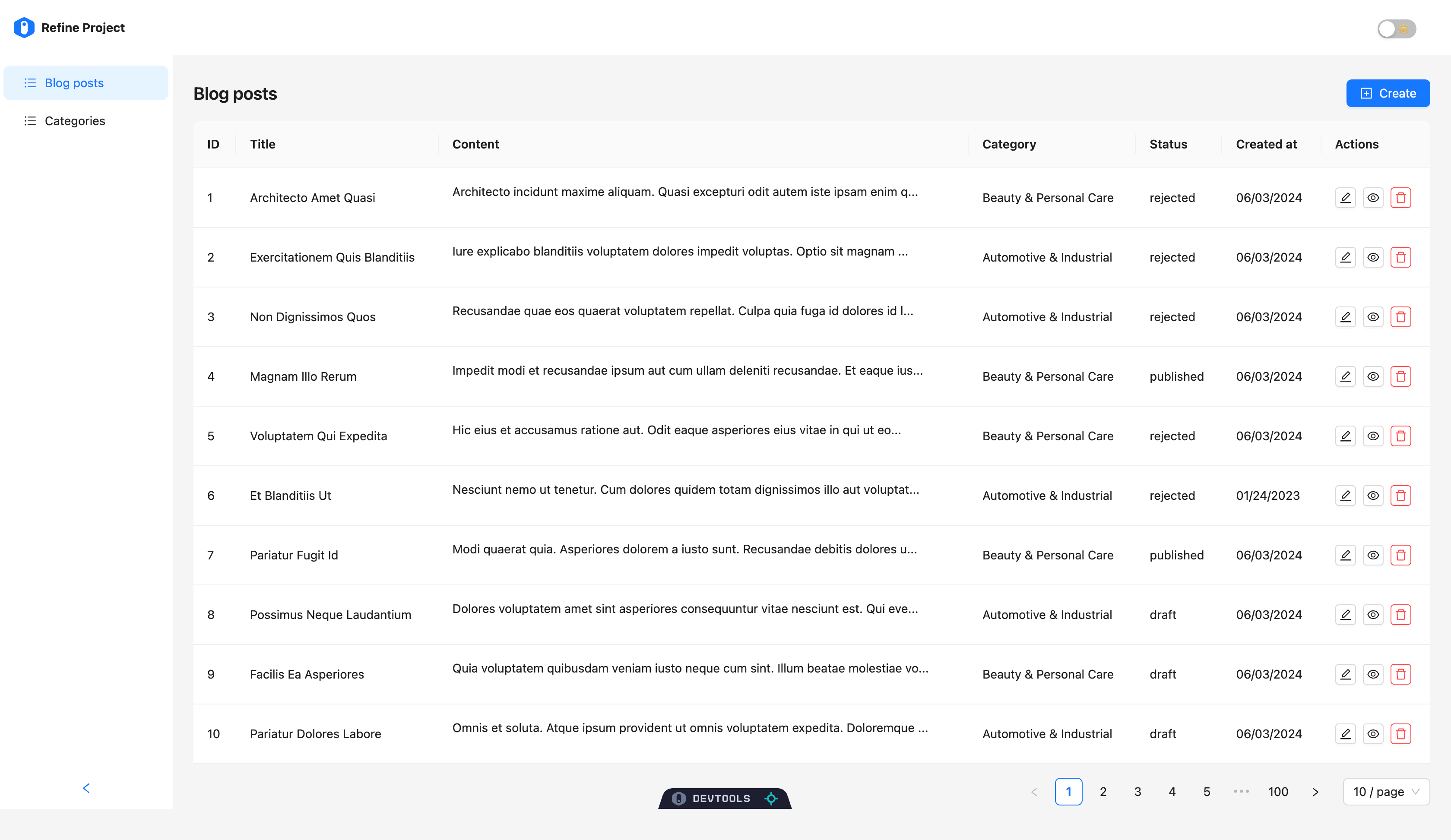
| Open the browser at http://localhost:5173/ and you will see example CRUD app with Ant Design components. |
|
|
|  |
|
|
| ## Inspection the code |
|
|
| Let take a look at Ant Design usage in the one of the example component generated by the CLI command. |
|
|
| ```tsx |
| import { Create, useForm } from '@refinedev/antd'; |
| import { Form, Input } from 'antd'; |
| |
| export const CategoryCreate = () => { |
| const { formProps, saveButtonProps } = useForm(); |
| |
| return ( |
| <Create saveButtonProps={saveButtonProps}> |
| <Form {...formProps} layout="vertical"> |
| <Form.Item label={'Title'} name={['title']} rules={[{ required: true }]}> |
| <Input /> |
| </Form.Item> |
| </Form> |
| </Create> |
| ); |
| }; |
| ``` |
|
|
| While Refine's integration offers a set of components and hooks, it is not a replacement for the Ant Design package, you will be able to use all the features of Ant Design in the same way you would use it in a regular React application. |
|
|
| Refine's integration only provides components and hooks for an easier usage of Ant Design components in combination with Refine's features and functionalities. |
|
|
| ## How to Add Ant Design to an Existing Refine Project |
|
|
| You can follow the [Refine Ant Design official guide](https://refine.dev/docs/ui-integrations/ant-design/introduction/) to add Ant Design to an existing Refine project. |
|
|
| To bootstrap a Refine app with various integration options like Next.js and Remix, use `npm create refine-app@latest` and select Ant Design as the UI framework from the CLI. |
|
|
| For more detailed tutorials and guides with Ant Design, visit the [Refine documentation](https://refine.dev/tutorial/ui-libraries/intro/ant-design/react-router/). |
|
|

